

FDIC-Insured - Backed by the full faith and credit of the U.S. Government


How to Access eStatements
Get quicker access to your deposit account info, securely stored and always at your fingertips. A smart, paper-free way to bank.
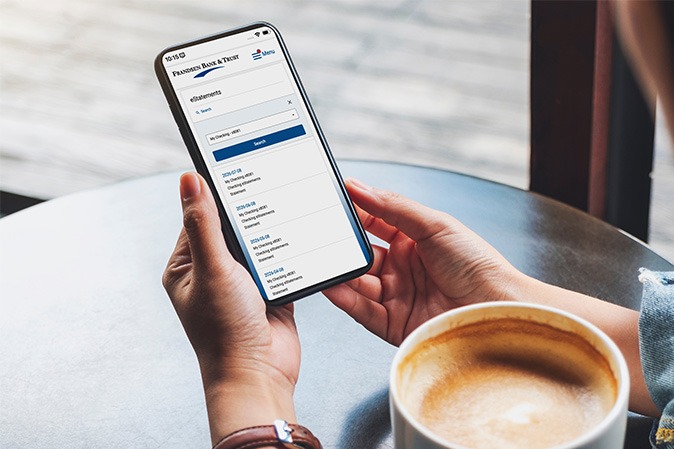
Frandsen Bank & Trust makes it easy to switch to eStatements for your checking or savings account.
Why Go Paperless?
View statements instantly through online or mobile banking
Get notified by email when your statement is ready
Access up to 7 years of statements anytime
Reduce the risk of mail fraud or identity theft
Download, save, or print PDFs whenever you need
Cut down on paper clutter at home
How To Enroll
While logged in to online banking, click on Accounts in top navigation to reveal the drop-down menu.
• For mobile, click on the menu in the upper right corner and then click on the Accounts drop-down.Click on eStatement Enrollment.
Review the Electronic Statement Agreement.
Check the box near I accept the terms of the agreement.
Then click Accept.
Under Delivery Option, select the accounts you would like to enroll in eStatements by selecting Electronic.
When completed, click Save.
These FAQs answer common questions about accessing and managing electronic statements through online banking.
How will I know when a new eStatement is available?
You’ll receive a notification as soon as your latest statement is ready to view. Please call your local Frandsen Bank for assistance
Can I switch back to paper statements later?
You can update your statement preferences. Please call your Frandsen location for assistance.
What are eStatements?
eStatements are digital versions of your bank account statements. Instead of receiving them by mail, you’ll get a notification when your statement is ready to view online or in mobile banking.
How long are eStatements available?
The default search result for eStatements is six months. To search all four years of history, click the magnifying glass icon in the upper left corner of your eStatements page.
Can I print my eStatements?
All eStatements are in PDF format, so you can download, save, or print as needed.


Cookie Settings
Frandsen Bank & Trust collects information like cookies to give you the best possible experience online. For example, cookies help us remember your preferred bank location every time you visit. You can choose to accept all cookies or limit usage to essential cookies only.
View our Cookie Policy to better understand what data we collect and how we use it.