

FDIC-Insured - Backed by the full faith and credit of the U.S. Government


How to Deposit a Check with Mobile Banking
Securely deposit checks anytime, anywhere using your smartphone with Mobile Deposit from Frandsen Bank & Trust. It’s fast, easy, and available through our mobile banking app.
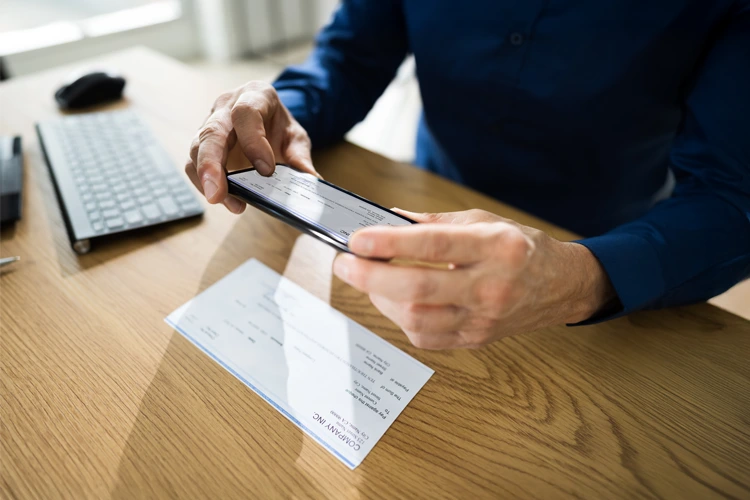
Unlocking Convenience: A Step-by-Step Guide to Mastering Mobile Deposits
You can cash a check anytime and anywhere with just a few taps on your mobile device. Embrace the future of banking with mobile check deposits and discover how simple and secure managing your money can be.
Seven Easy Steps to Deposit a Check in the Mobile App
Endorse the check following the guidelines below.
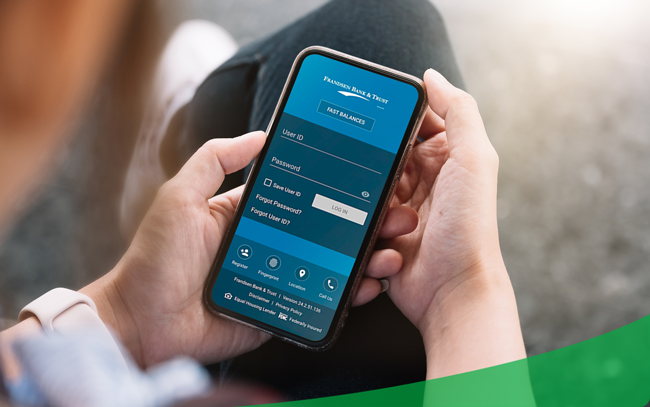
Log into the Frandsen mobile banking app.
Select Mobile Deposit from the toolbar at the bottom of the screen.
Select the account that you want the check deposited to and enter the check amount.
Tap the camera icon to take photos of the front and back of the check. Select Use to accept the photo.
Place your check on a well-lit surface with high contrast.
Make sure the entire check appears within the frame.
If your photo is blurry, you can select Retake and try again.
Once both photos have been captured, select Deposit to complete the transaction.
Keep your check for 30 days after the mobile deposit, then destroy it.
How to Endorse a Check For Mobile Deposit
On the first line, write For Mobile Deposit Only, or check the box for mobile deposit if printed on the check.
On the second line, write Frandsen Bank & Trust.
On the third line, sign your name exactly as it appears on the front of the check. If your name is spelled incorrectly on the front, sign it as it appears, then sign it correctly underneath.
Quick Tips!
Write or stamp only within the endorsement area. Use blue or black ink. Do not use a pencil.
After completing all the steps, you have successfully deposited your check! To learn more about Frandsen mobile or check deposit procedures, contact your local Frandsen Bank & Trust banker today.




Cookie Settings
Frandsen Bank & Trust collects information like cookies to give you the best possible experience online. For example, cookies help us remember your preferred bank location every time you visit. You can choose to accept all cookies or limit usage to essential cookies only.
View our Cookie Policy to better understand what data we collect and how we use it.