

FDIC-Insured - Backed by the full faith and credit of the U.S. Government


How to Sync QuickBooks to Online Banking
Due to the update to online banking, you will need to disconnect and reconnect QuickBooks, rather that just updating your credentials.
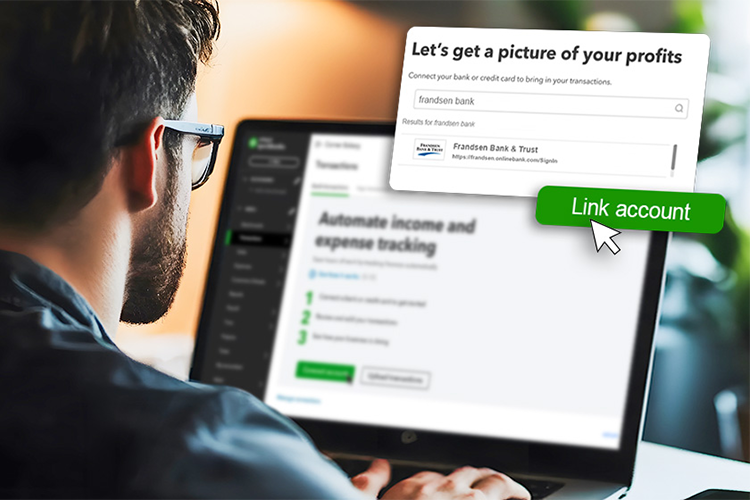
In QuickBooks, clear out your For Review tab.
Go to Transactions, then click Bank Transactions.
Review any transactions in your For Review tab for Frandsen Bank & Trust.
Categorize or exclude them now; if you don’t they will disappear when you disconnect the old system.
Disconnect the old Frandsen Bank & Trust system.
Click the Frandsen Bank & Trust account tile.
In the top right corner, click the Pencil Icon, then click Edit Account Info.
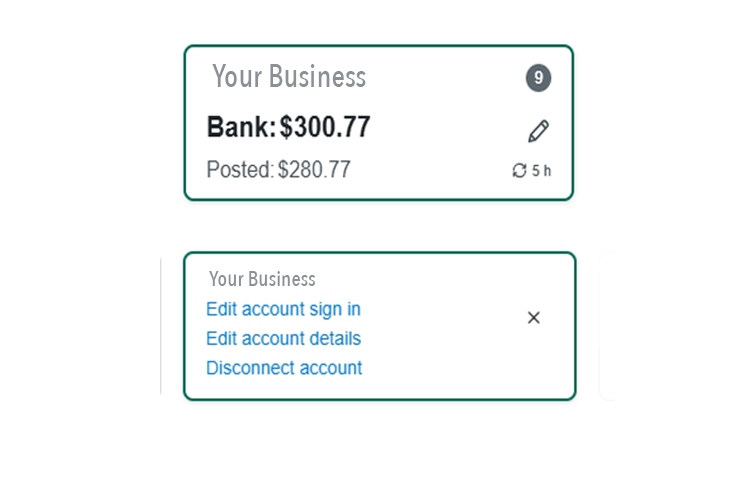
Check the box for Disconnect This Account on Save, then click Save and Close.
Reconnect to the new banking system.
From Bank Transactions, click Link Account, or Add Account in the top right.
Search for Frandsen Bank & Trust, look for a listing that says Frandsen Bak & Trust (Personal).
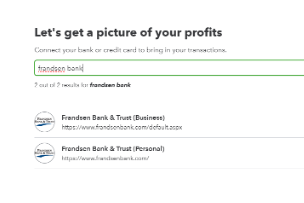
Enter your online banking credentials and follow the prompts.
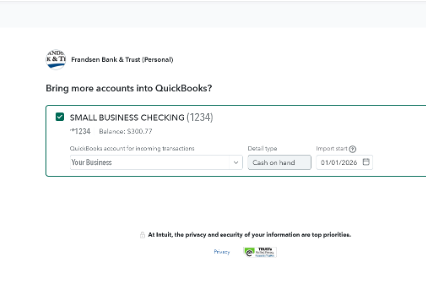
When QuickBooks asks where to match the transactions, map it to your existing bank account on your Chart of Accounts. Do not let it create a new account, or your history will be split in two.


Cookie Settings
Frandsen Bank & Trust collects information like cookies to give you the best possible experience online. For example, cookies help us remember your preferred bank location every time you visit. You can choose to accept all cookies or limit usage to essential cookies only.
View our Cookie Policy to better understand what data we collect and how we use it.